Excel Count Functions Guide with Tutorials

Excel COUNT Functions Guide (COUNT, COUNTA, COUNTIF, COUNTIFS) with Examples
In this article If you will learn data analysis in Excel, you know how important counting is. But simply using the COUNT function isn’t enough. In this master guide, Excel Count Functions, you’ll learn not only COUNT but also COUNTA, COUNTBLANK, and powerful conditional counting functions like COUNTIF and COUNTIFS with practical, real-world examples. We’ll show you when and why to use each function, so you can quickly identify missing data and easily filter your sales reports or HR data. With this step-by-step guide, boost your Excel productivity instantly!
The Main COUNT Functions in Excel
| Function | Purpose | Sample Formula |
|---|---|---|
| COUNT | Count cells with numbers | =COUNT(A1:A10) |
| COUNTA | Count non-empty cells (numbers/text/dates/errors) | =COUNTA(A1:A10) |
| COUNTBLANK | Count empty/blank cells | =COUNTBLANK(A1:A10) |
| COUNTIF | Count cells meeting a single criterion | =COUNTIF(A1:A10, “>50”) |
| COUNTIFS | Count cells meeting multiple criteria | =COUNTIFS(A1:A10, “>10”, B1:B10, “<5”) |
How do count functions work?
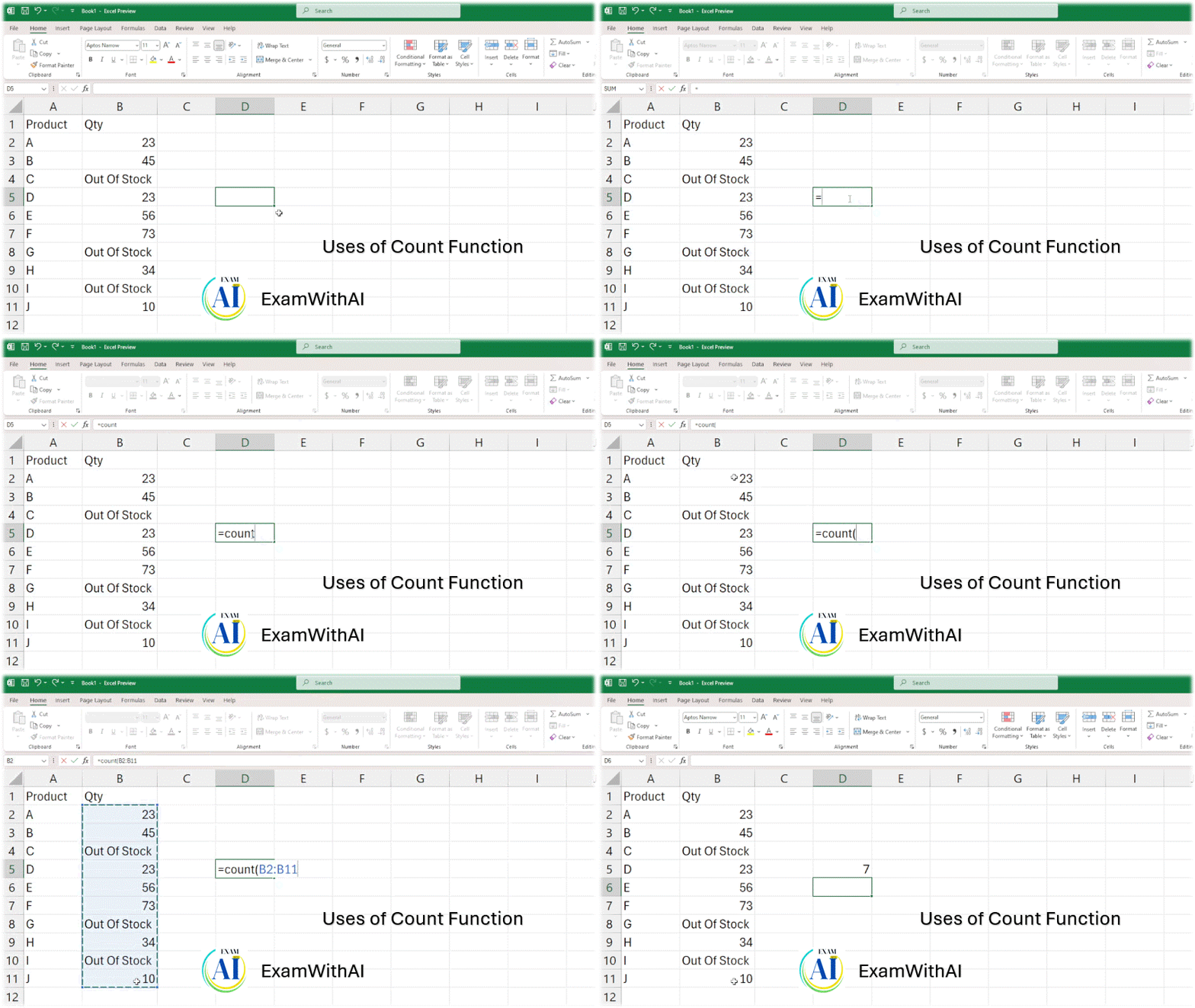
1- Count Function Uses:
- This function only counts cells that contain numbers; it will not even include blank cells to count.
- Inventory Tracking: How many products have a numeric quantity available in the stock report?
- Formula = COUNT(B2:B11)
- Explain—If a cell contains “Out of Stock” (text), the COUNT function will ignore it and only count the actual quantities.
2- CountA Function Uses:
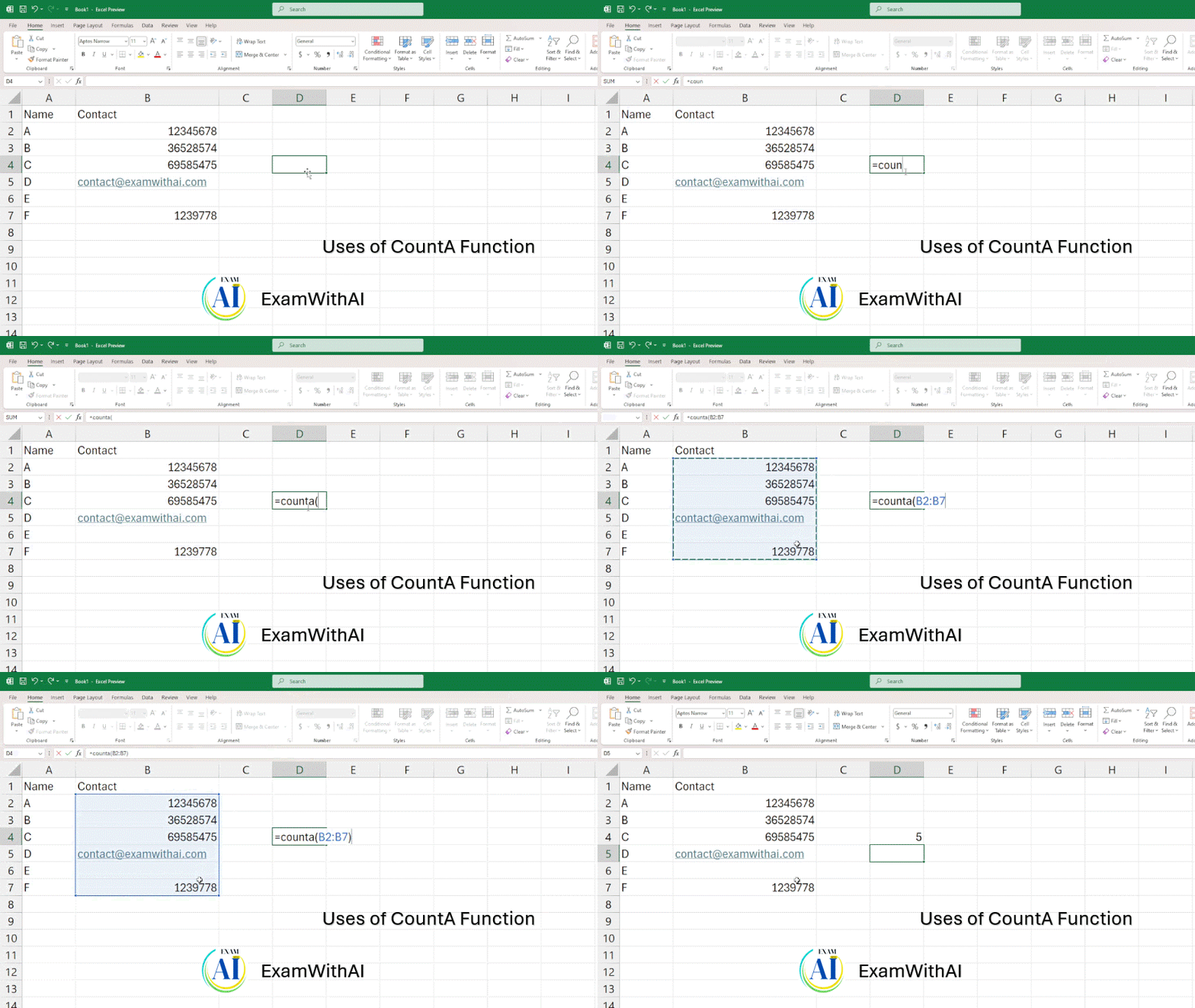
How to count cells with text and numbers in Excel: the solution is here.
- The goal is to count all cells that are not empty, irrespective of the type of data (text, numbers, logical values, errors, etc.).
- Contact List Validation: How many people on your list have their email address or phone number filled in?
- Formula =COUNTA(B2:B7)
- Explanation—If the cell is not empty (whether it contains a number or text), it will count it. Best for checking the completeness of data entry.
3- CountBlank Function Uses:
- Goal: Determines the proportion of blank cells in a range.
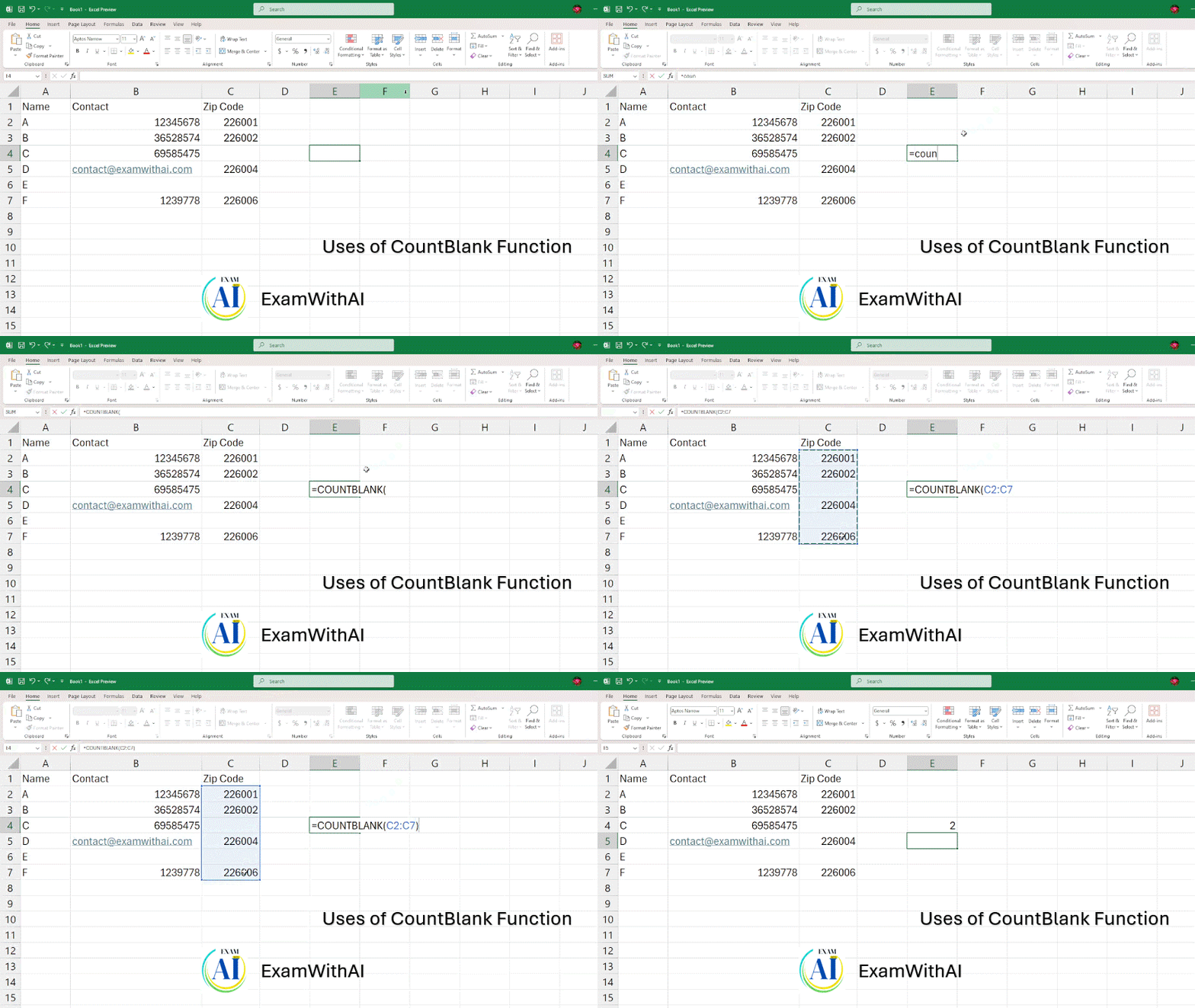
- Missing data: How many people’s ZIP codes are missing from the form or database?
- Formula =COUNTBLANK(C2:C7)
- Explain : Helps to quickly identify and fix data gaps.
4- CountIF Function Uses:
- Goal: Determines how many cells satisfy a particular requirement.
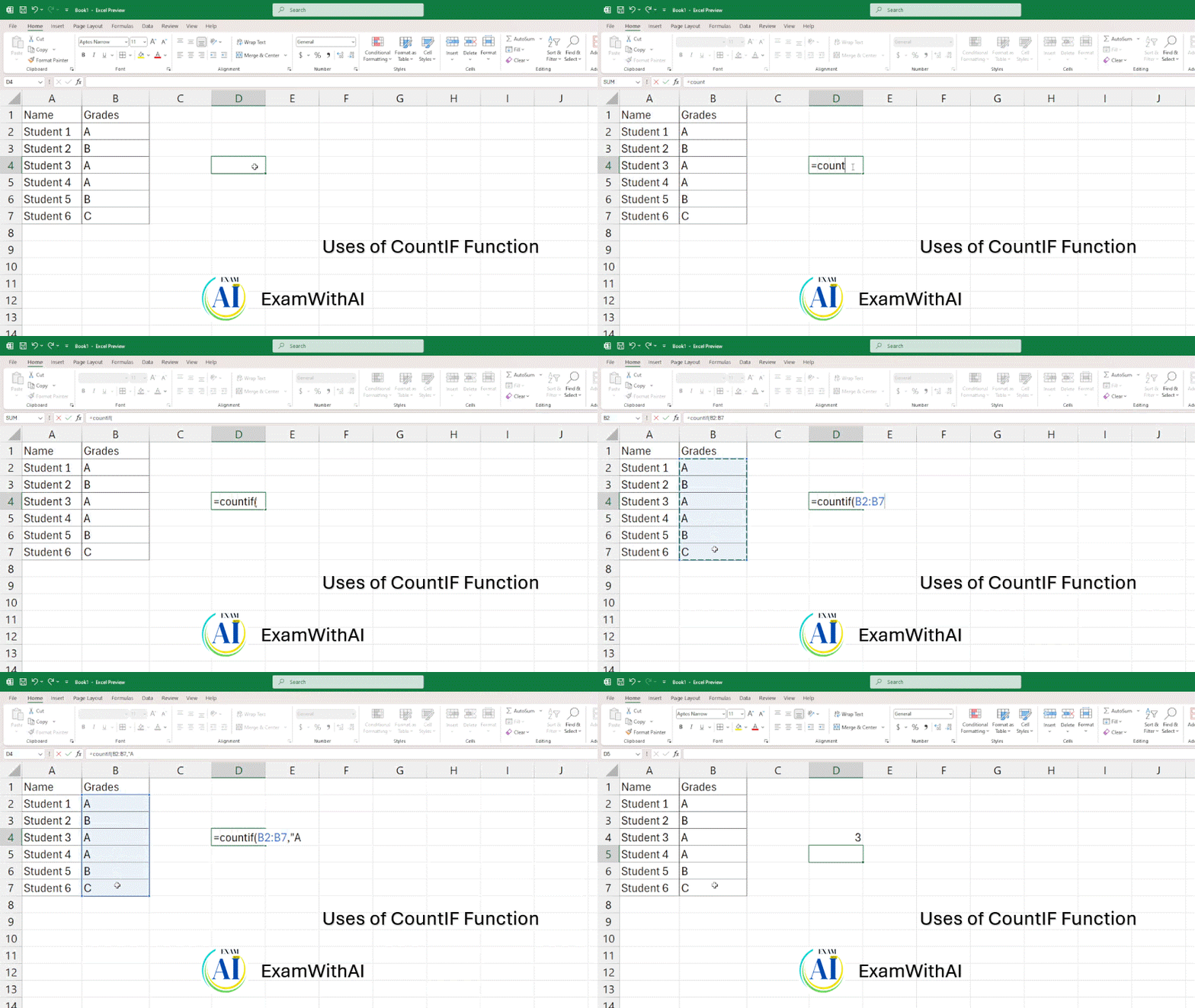
- Filtering Grades: How many students in the class earned an “A” grade?
- Formula =COUNTIF(B2:B7, “A”)
- Explain: Will only count cells in the range that contain exactly “A”.
5- CountIFS Function Uses:
- The number of cells that satisfy multiple conditions across ranges is counted.
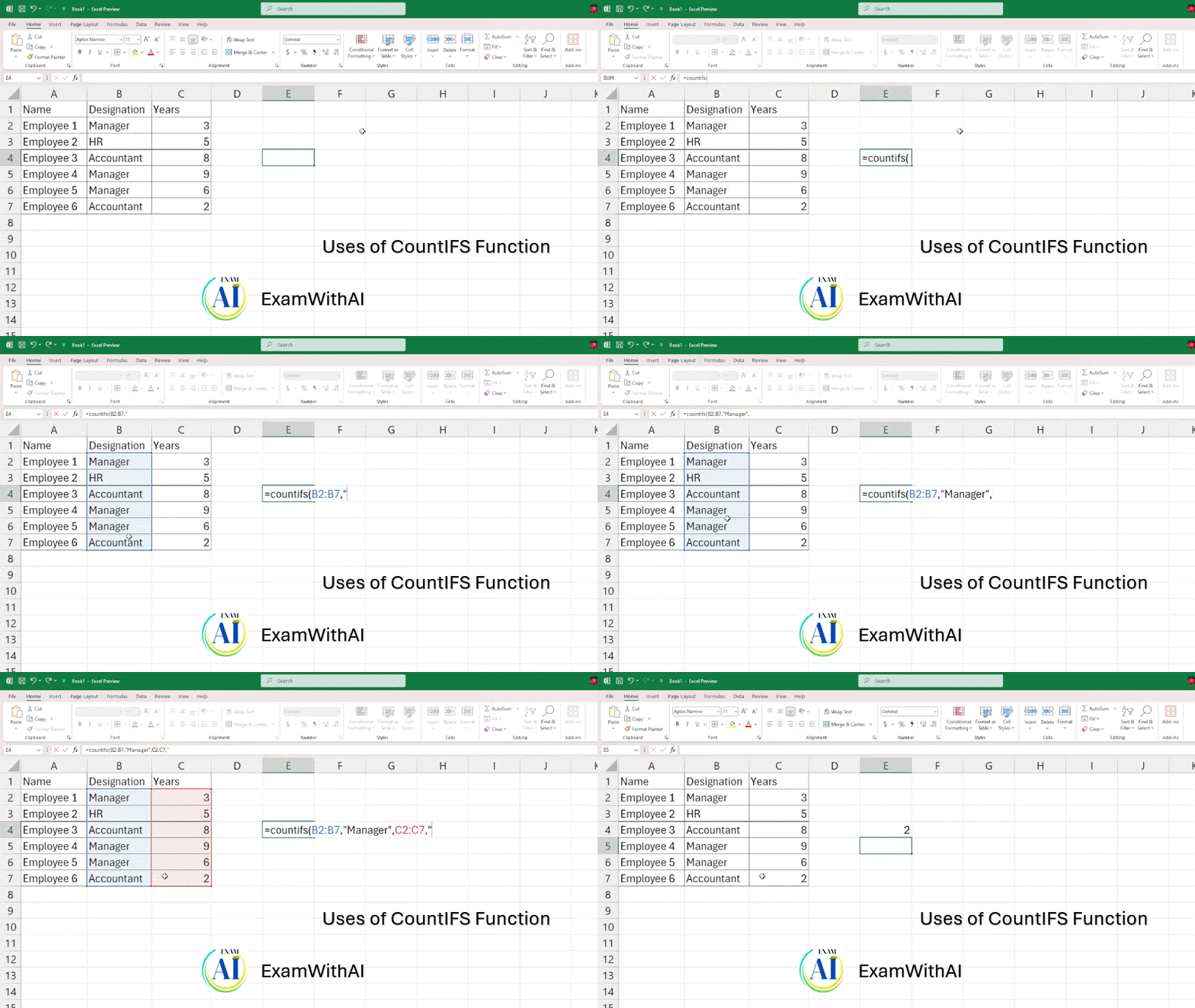
- Data per se: How many employees in the “Manager” position have more than 5 years of service in the company?
- Formula =COUNTIFS(C2:C70, “Manager”, D2:D70, “>5”)
- Example: The most powerful tool for analyzing complex data and extracting specific data sets.
Practical Example Table
Copy this sample table into Excel to easily practice each function:
| A | B | C | D |
|---|---|---|---|
| Orange | 22 | 100 | A |
| 33 | 150 | B | |
| Cat | 175 | A | |
| 12 | 44 | 100 | A |
| 200 | C | ||
| 27 | 98 | 80 | B |
| 150 | A | ||
| Dog | 66 | 175 | B |
| 90 | C | ||
| 15 | Banana | 200 | C |