WHAT IS MS WORD IN 2026?
What is MS Word in 2026?

Table of Contents
What is MS Word in 2026? is a processing software developed by Microsoft Introduction. It is used For Introduction Word create, edit, format, save, print and share various types of documents. Features of MS word is one of the most widely used applications in offices, schools, colleges, businesses and homes.
for example use of MS Word to create: Letters
| Applications | Uses |
| Resumes / CVs | Reports |
| Responsibilities | Projects |
| Announcements | Books |
| Certificates | Forms |
MS Word in 2026 is used to introduction make document creation and management easy, fast and professional.
Microsoft Word was originally developed by Microsoft as a word-processing program.
The first version of Microsoft Word was released in 1983 for MS-DOS. Over the years, Microsoft introduced many new versions with improved features, design, security, and collaboration tools.
Some important versions include
Word 2003
Word 2007
Word 2010
Word 2013
Word 2016
Word 2019
Word 2021
Word 2024
Types/Versions of MS Word in 2026
When we talk about the types of MS Word, we generally mean its different versions and editions.
Major Versions
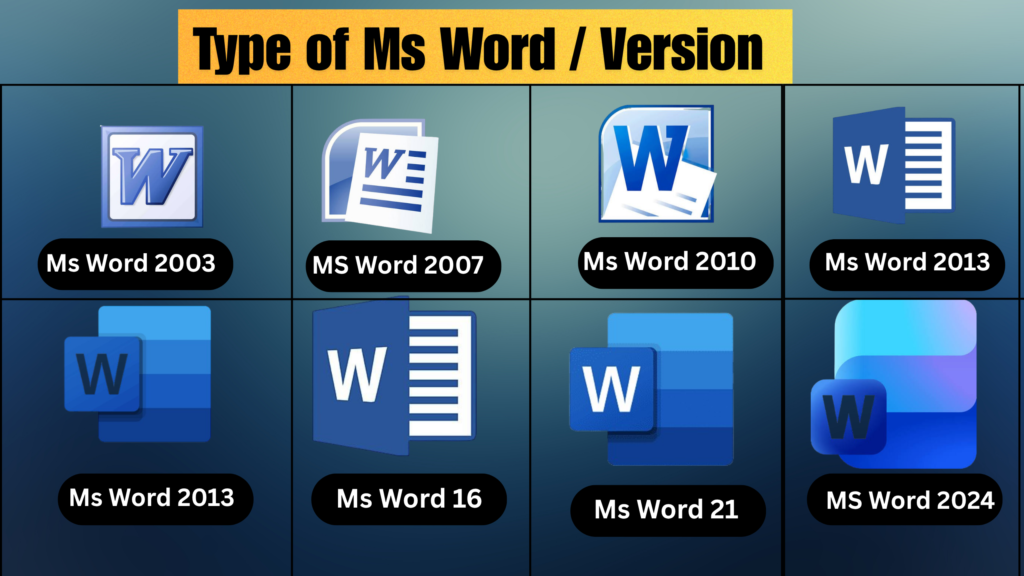
| Version |
| MS Word 2003 |
| MS Word 2007 |
| MS Word 2010 |
| MS Word 2013 |
| MS Word 2016 |
| MS Word 2019 |
| MS Word 2021 |
| MS Word 2024 |
| Word for Microsoft 365 |
| Description |
| Older version with a traditional menu-bas |
| Introduced the Ribbon interface |
| Improved document editing and sharing |
| Added improved cloud and online features |
| Improved collaboration & document |
| Added several modern formatting |
| Improved collaboration and accessibility |
| A newer perpetual-license version |
| Subscription-based version |
MS Word by Platform
MS Word is also available on different platforms:
Word for Mac
Word for the Web
Word for Android
Word for Windows
Features of MS Word in 2026
MS Word provides many useful features for creating professional documents.
Important features include:
- Text formatting
- Font selection
- Paragraph formatting
- Tables
- Pictures
- Shapes
- Charts
- SmartArt
- WordArt
- Headers and Footers
- Page Numbers
- Spelling and Grammar Check
- Find and Replace
- Mail Merge
- Track Changes
- Comments
- Templates
- Table of Contents
MS Word Interface in 2026
When we open MS Word in 2026, we see different parts of the application window.
- Title Bar – Displays the name of the document.
- Quick Access Toolbar – Provides quick access to frequently used commands.
- File Tab – Contains commands such as New, Open, Save, Print, and Options.
- Ribbon – Contains different tools and commands.
- Tabs – Examples include Home, Insert, Design, Layout, References, Mailings, Review, and View.
- Document Area – The main area where we type and edit text.
- Ruler – Helps set margins, indents, and tab positions
Main Tabs in MS Word
Home Tab
Design Tab
Layout Tab
References Tab
Mailings Tab
Review Tab
View Tab
File Formats Used in MS Word
| File Format | Description |
| .DOCX | Standard modern Word document format |
| .DOC | Older MS Word document format |
| Portable Document Format | |
| .RTF | Rich Text Format |
| .TXT | Plain text format |
| .DOTX | Word template format |
Advantages of MS Word
| Advantage | Advantage |
| Easy to use | Fast document creation |
| Easy editing | Professional formatting |
| Spell and grammar checking | Easy printing |
| Supports tables and images | Supports PDF export |
| Provides templates | Allows collabo |
. Applications of MS Word
MS Word is used in many MS areas
Education
Offices
Personal Use
Business
MS Word – Short Definition for Exam
MS word is a word processing software developed by Microsoft. It is used to create, edit, format, save, print, and share text-based documents such as letters, reports, resumes, assignments, and projects.
In simple words:
MS Word is a computer application used to create and manage documents easily and professionally.
Chat GPT is AI and can make mistakes.
Read Article Career Planning