What Is Microsoft PowerPoint Presentation?

Microsoft PowerPoint Presentation program Create engaging presentations, clearly explain ideas, and confidently present information. PowerPoint is a popular presentation software that is created by Microsoft. It lets users create professional and lively presentations with text, images, charts, tables, videos, animations and graphics. You can also try our power point MCQs click here
Table of Contents
What Is Microsoft PowerPoint Presentation?
MS PowerPoint is a presentation program that is part of Microsoft Office. A PowerPoint presentation is made up of individual pages, called slides.
Each slide can contain different types of content, such as:
- Text and headings
- Images and illustrations
- Tables and charts
- Videos and audio
- Shapes and icons
- Animations and transitions
You can Also read our Excel Article click here
Uses of Microsoft PowerPoint
Microsoft PowerPoint is used when there is a need to explain information visually. It is most often found in:
- School and college projects
- Classroom teaching
- Business meetings
- Office presentations
- Training sessions
- Seminars and workshops
- Marketing presentations
- Project reports
- Online presentations
Main Features of MS PowerPoint
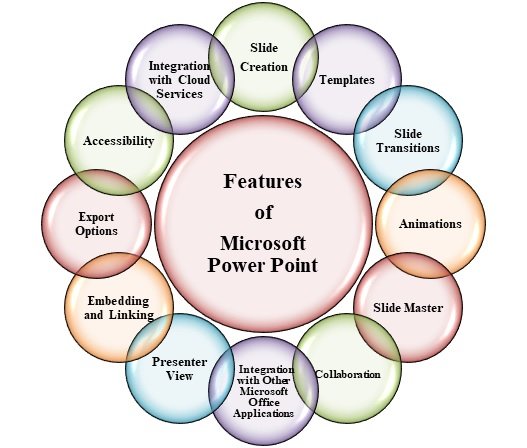
Slide Creation
With PowerPoint, you can create multiple slides and organize your information in a clear presentation structure.
Templates and Themes
You can use ready-made templates and themes to give your presentation a professional appearance without designing everything from scratch.
Images and Graphics
You can also add photos, icons, shapes, SmartArt and other visuals to make your slides more appealing and easier to understand.
Charts and Tables
Display business and numerical data in charts, graphs, and tables with PowerPoint.
Animations
Animations can be applied to text, images, and other objects to control how elements appear on a slide.
How Does a PowerPoint Presentation Work?
Making a PowerPoint presentation is easy:
Select a theme → Design slides → Insert content → Format slides → Insert visuals → Animate slides → Review → Deliver
A good presentation should have a clear structure, readable text, suitable visuals, and consistent design.
Benefits of Learning MS PowerPoint
Learning PowerPoint can be useful for both education and career development.
Key benefits include:
Make professional presentations
Improved communication skills
Show your projects with confidence
Imagine intricate details
Make interesting educational content
How to Present in the Workplace
Templates & design resources to save you time
Who Should Learn MS PowerPoint?
MS PowerPoint is useful for virtually anyone who needs to present information. This is especially helpful for:
Students Teachers Job Seekers Office Professionals Business Owners
Freelancers Trainers
What Can You Create with PowerPoint?
With MS PowerPoint, you can create different types of presentations, including:
- School project presentations
- College presentations
- Business proposals
- Training presentations
- Marketing presentations
- Educational lessons
- Portfolio presentations
- Project reports
MS PowerPoint for Students
PowerPoint is very useful for students to make school projects, college assignments, seminars, presentations and project reports.
Instead of giving information in long paragraphs, students can use slides, images, diagrams, charts and animations to better explain their ideas.
Conclusion
MS PowerPoint is more than just a slide making tool. It is a powerful presentation program that helps users to organize information, to communicate ideas and to create visually appealing presentations.
If you are a student or want to improve your computer skill for your career, learning MS PowerPoint is an important practical skill to learn.
Start Learning MS PowerPoint Today
Learn the essentials of slides, design, animations, charts, and creating professional presentations, gaining a useful computer skill for school and work.