Function of an Operating System: 8 Important Functions Explained in

Function of an operating system—Have you any time to think about how your computer knows what to do and when you open an application for saving a file, connect a printer, or browse the internet?
Inside all these things, very important software works silently in the background of the computer. It is called an OS.
Table of Contents
Who is managing all of this?
Operating System (OS) of the computer.
An operating system (OS) is software that manages a computer’s hardware and software resources. It is acting as a bridge between the applications, user, and hardware.
In simple terms:
OS = The manager behind your computer.
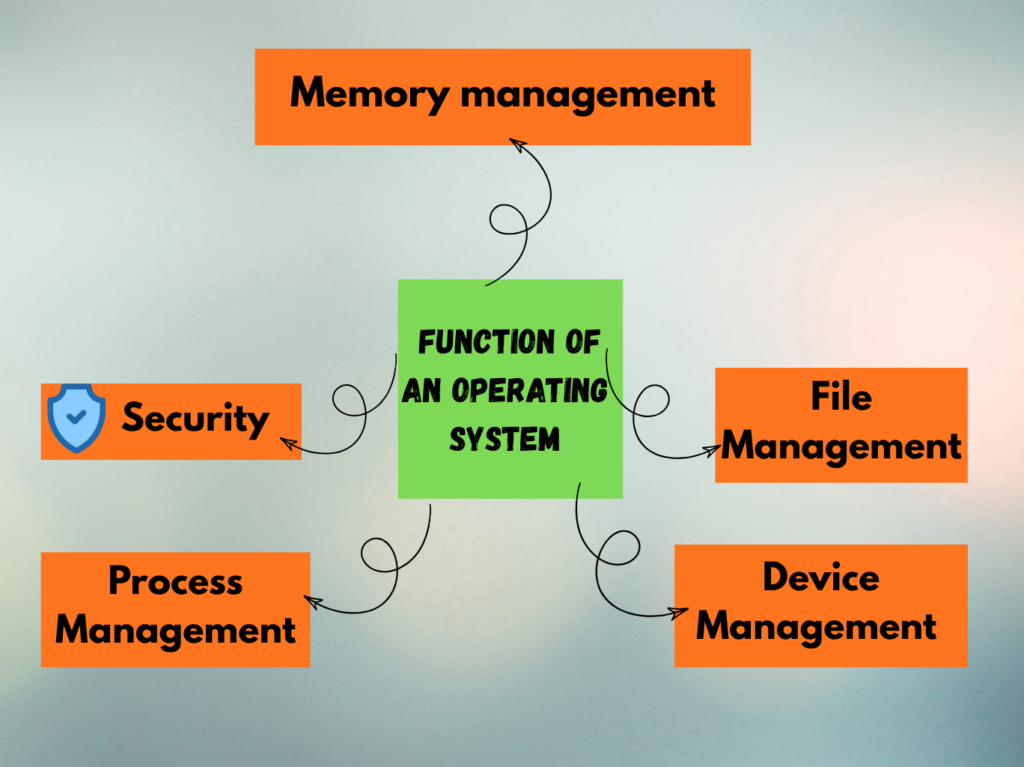
The 8 Main Functions of an Operating System
Here is an easy way to remember them:
“People Make Files, Devices Stay Under Control, Resources.”
- P – Process Management
- M – Memory Management
- F – File Management
- D – Device Management
- S – Security
- U – User Interface
- C – CPU Management
- R – Resource Management
Now let’s understand each one with a real-life situation. All these function of an operating system
1. Process Management—”Who Gets the Turn?”
Process management is an important function of an operating system. It processes a program that is currently running.
Just imagine you are doing three things at once on the computer:
YouTube + Chrome + Music
All of them need computer resources for working.
The operating system manages all these running programs and coordinates their use of the CPU and other resources.
Think of it like
OS = Traffic Controller
It helps different programs get their turn instead of allowing one program to take over everything.
Do you know about types of operating systems? Read this article; click here
2. Memory Management—”Who Gets How Much RAM?”
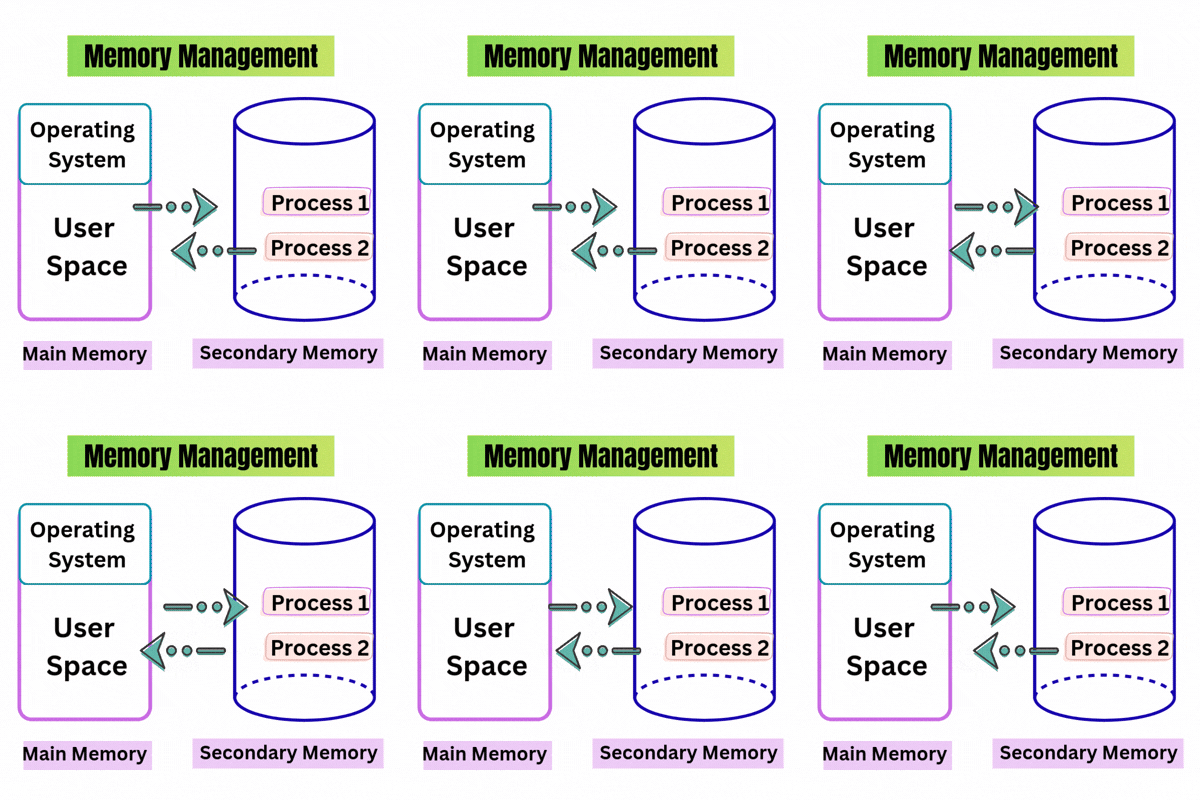
Memory management is the function of an operating system that controls and coordinates computer RAM, allocating and freeing memory blocks for running programs to optimize performance.
Real-life example:
You open:
Browser → 2 GB
Music App → Some memory
Editing Software → More memory
The OS keeps track of these demands.
Remember:
Memory Management = Managing RAM
3. File Management — “Where Did My File Go?”
File management is another major function of an operating system.
The operating system helps users to create, save, rename, copy, move, organize, and delete files and folders. It also manages how files are stored on storage devices.
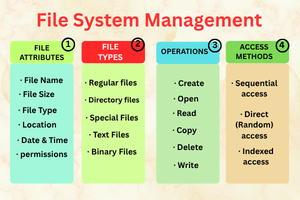
Simple flow:
Create → Save → Organize → Find → Use
So, when you save:
My Assignment.docx
The operating system helps manage these things, including where that file is stored and how it can be accessed.
Remember:
File Management = Keeping your digital life organized
4. Device Management—”Talk to My Hardware”
Device management is the function of an operating system that manages the many more devices that are in our computer, such as
Keyboard | Mouse | Printer | Speaker | USB | Camera
The operating system manages communication between these devices and the computer.
Example:
You click Print.
The application sends the request → OS manages the request → Printer receives the data → Paper comes out.
You only see one click.
The OS handles much more in the background.
5. Security—”Who Is Allowed In?”
Security is an important function of an operating system. An operating system can provide features such as
- User accounts
- Passwords
- Permissions
- Access controls
All these features help you to protect files and system resources from unauthorized access.
Think of it like a building:
Password = Door key
User account = Identity
Permission = Which rooms you can enter
Remember:
Security = Protecting access to the system and its resources
6. User Interface—”How Do You Talk to the Computer?”
In this function of an operating system
User interface comes in where a computer needs a way for humans to give instructions.
That is where the User Interface (UI) comes in.
Two common forms are
GUI—Graphical User Interface
You use:
Icons + Windows + Menus + Buttons
This is what most beginners experience when using a graphical desktop.
CLI — Command-Line Interface
You type commands to communicate with the system.
So:
GUI = Click and interact
CLI = Type and interact
Remember:
User Interface = The communication channel between you and the computer
7. CPU Management—”Who Uses the Brain Now?”
The CPU (Central Processing Unit) performs instructions and processes the data.
When there are multiple programs running here, the operating system manages CPU time and schedules processes so the processor can handle different tasks efficiently.
Imagine a teacher with five students.
Everyone wants attention.
The teacher has to decide:
Who goes first?
Who waits?
Who gets time next?
CPU management works on a similar principle—although the actual mechanisms are much more technical.
Remember:
CPU Management = Managing processor time
8. Resource Management
Resource management in an operating system in a computer has very limited resources such as CPU power, memory, storage, and input/output devices.
The operating system is managing these resources and distributes them among different applications and processes.
This is the easy way to remember it:
CPU, memory, storage, and devices = Resources
OS = Resource Manager
Remember:
Resource Management = Managing the computer’s available resources
Why Is an Operating System Important?
An operating system is very important in a computer because the OS manages the different parts of a computer and allows them to work together.
Examples of Operating Systems
Here are a few popular operating systems:
- Microsoft Windows
- Linux
- macOS.
- Android
- iOS.
Conclusion
The Final Takeaway
Don’t try to memorize eight complicated definitions.
Just remember the OS Manager Trick: to learn the function of an operating system
- Programs → Processes
- RAM → Memory
- Files → File Management
- Hardware → Devices
- Protection → Security
- Interaction → User Interface
- Processor → CPU
- Everything Together → Resources